Tools
Required Map Editors
[FA2] Final Alert 2:
The Map Editor for Yuris Revenge.
Contains patches which have been developed by multiple members of the community
The patched FA2 link provides a clean working FA2 setup for the vanilla game (RA2/YR Unmodded)
The FA2Sp link directs you to the extension itself, which can be dropped into a mod's FA2, and should work fine assuming you check the changelog under releases
| Topic | Source + Link |
|---|---|
| Patched FA2 [Vanilla] | PPM - Forum |
| FA2SP [Mods] | Github - Main Page |
| FA2SP [Mods] | Github - Releases |
[FS] Final Sun:
Description: The necessary Map Editor for Tiberian Sun + Firestorm
The Patched FS option is directly compatible with TS. It contains some of fa2sp's features, so it is a massive improvement over the unmodded editor.
The toolkit option attempts to provide a direct application using several of the tools listed below. The forum contains a link to an older fork of FS that may be useful to some.
The Tiberian Sun Client [TSC] also includes a build.
| Topic | Source + Link |
|---|---|
| Patched FS [Vanilla] | PPM - Forum |
| "Toolkit" + Clutter | CnCNet - Forum |
| Tiberian Sun Client | ModDB |
Editor Modifications:
DDraw Renderer
Instead of using the system DDraw, FA2 and FS can instead use a local proxy DDraw.dll, improving the editor's speed considerably, which is especially useful for resource-heavy maps. Several of the patched map editors have this included but not in use, so check your map editor's folder as the files may already exist, such as in a "ForWindows10" folder, containing a pre-configured setup. if you want an un-configured setup for unknown reasons, or simply want to know more about the wrapper, check the unconfigured link below. I also included a direct download, although i have lost which thread this is on so i am unable to verify if it is the latest download.
| Topic | Source + Link |
|---|---|
| Unconfigured | BitPatch |
| Pre-Configured | PPM |
Dark and Custom themes
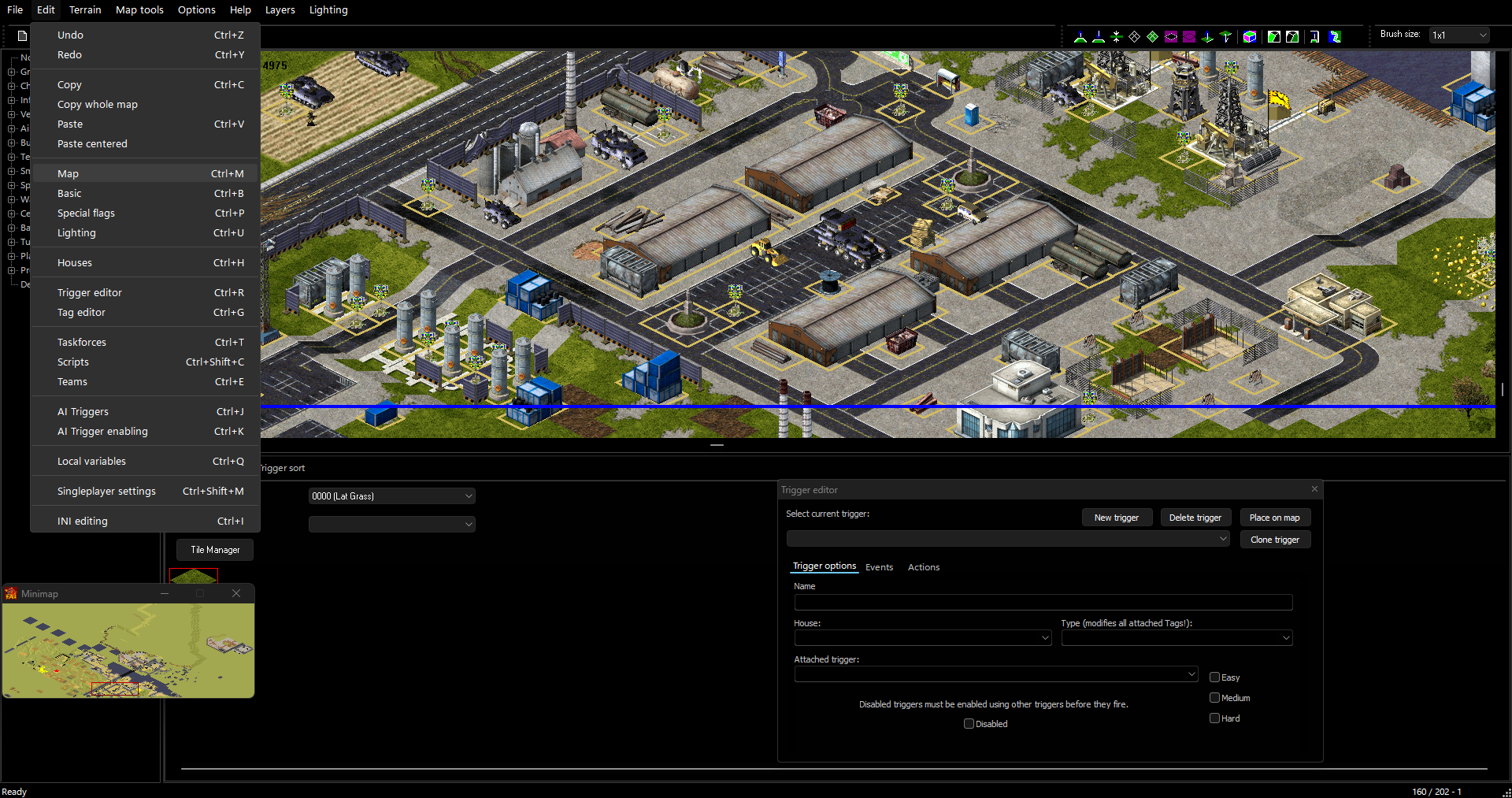
Assuming you use the Sp version of the editor, it is certainly possible to modify the theme. This comes with a risk however, as on windows you have to modify your entire system's theme in order to achieve this, and if you install the wrong theme for your windows version, your windows updates and therefore becomes incompatible with the theme you are using, or of course simply mess something up you could easily break your system and be left to the mercy of restore points or a fresh boot. There are a number of windows 'ricing' tutorials and lists online, but a lot of recommendations from major publishers seem to only use what windows 10+ already allows you to do, which doesn't really help you. I found and recommend this as it describes most options available for modernising windows 10, with a lot being applicable to Windows 11 as well. While you are of course free to read the entire section, you should focus on the Before Starting and the themes section. I have included below an example of what FA2 looks like using dark theme from rectify11 on Windows 11.
Another example is After Dark CC Blue, provided by SCIPCION on Windows 10
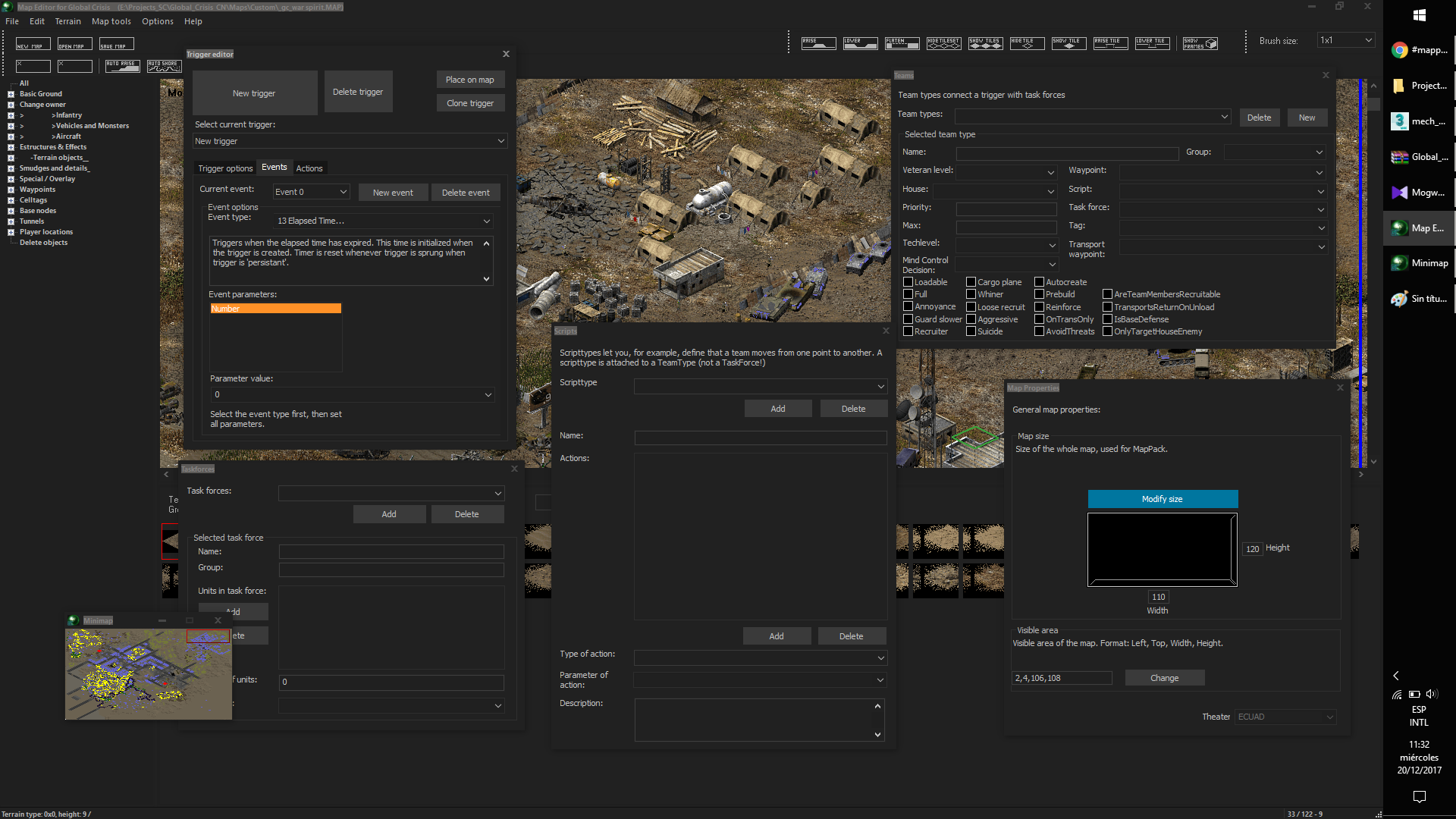
Ultimately it is your decision if you wish to risk modifying windows in such a way, especially with WAE as a modern alternative. I have also written advice on applying a dark theme in linux, however the options are more limited.
Modern Alternatives:
World Altering Editor :
Author: Rampastring + Contributors
Description: The World Altering Editor (WAE) is an open source replacement to the traditional editors. unlike the originals, it is built using a modern code base, and as a result of being open source it does not require the use of dll injection to improve. Formerly known as the DTA Scenario Editor, as it was built for Dawn of the Tiberium Age, it has since been growing in compatability for TS/YR. A release for TSClient and Vanilla YR both available on the the releases page. As of v0.9.6 the editor now has a voxel renderer, meaning that the editor can effectively replace FA2 for all quality PCs using win7 or later, although it is arguably still behind in a few areas.
| Topic | Source + Link |
|---|---|
| World Altering Editor | Github - Main Page |
| World Altering Editor | Github - Releases |
| Mod Haven Channel | Discord |
Others:
Relert ++ : https://github.com/secsome/relertplusplus
Relert Sharp Private Thread : https://github.com/FrozenFog/relertsharp
https://github.com/FrozenFog/rs-dev-public-snapshot/blob/dev/pic/preview-migdal.png
https://github.com/FrozenFog/rs-dev-public-snapshot
Additional Tools:
Trigger Analyser (html/java)
Author: Whensons
Description: A tool in javascript to analyse and map out triggers in a graph. This shows the connections, links and is useful for spotting issues within your triggers, and is excellent for collaborative projects.
Although it is hosted on GitHub you can download the page and use it offline.
| Topic | Source + Link |
|---|---|
| Self-documentation | Github - Main Page |
| Hosted Tool | Github Pages |
Trigger Analyser (Python)
Author: FrozenFrog
Description: A script to generate a trigger map graphically on the TS/RA2 Engine.
| Topic | Source + Link |
|---|---|
| Self-documentation | Github - Main Page |
Map Conversion Tool
Author: Starkku
Description: A tool which can convert the theatre, tiles, rules and overlay of maps based off user-configurable scripts. Essential if you wish to change the theatre of a map.
| Topic | Source + Link |
|---|---|
| General Information | Github - Main Page |
| Preset Documentation | Github - Main Page |
| Preset Download | Github - Releases |
| Forum Thread | PPM - Forum |
Tunnel Drawer
Author: Q45
Description: A tool to generate tunnels in TS/YR Maps.
This allows customisation of coordinates, direction, path, ect
However, it is .SWF so requires a flash player.
WARNING: No longer supported as it requires flash, i recommend using WAE's tunnel tools instead.
| Topic | Source + Link |
|---|---|
| Forum Thread | PPM - Forum |
| Flash Player | Adobe |
Wavemaker
Author: PTapioK
Description: A brilliant tool which streamlines the production of mission and survival maps
It allows manipulation of Triggers, Scripts, Taskforces, Teams and Variables on both a single and batch scale through an easy-to-see user interface.
| Topic | Source + Link |
|---|---|
| Forum Thread | PPM - Forum |
| Source Code | Github - Main Page |
Map Renderer
Author: zzattack + Others
Description: A Full Map Preview Renderer for maps
Also contains other features such as height maps, position markers as well as debug features!
| Topic | Source + Link |
|---|---|
| Forum Thread | PPM - Forum |
| Source Code | Github - Original Source |
Map Resize Tool
Author: E1 Elite
Description: A tool to resize maps. Unlike the standard map editor this moves everything, including tunnels and smudges. The UI is also very simply to understand.
| Topic | Source + Link |
|---|---|
| Forum Thread | PPM - Forum |
| Source Code | Github - Main Page |
Final Sun Toolkit
Author: Holland (and various other authors for the tools)
Description: Software which contains multiple tools with it, as well as other optimisations. TS Only
| Topic | Source + Link |
|---|---|
| Forum Thread | PPM - Forum |
Map Rename Tool
Author: Snark
Description: This program will convert your .map file names to the map name written internally. It's useful for organizing the maps that you download inside the cncnet client that are given a random file name, and means you can tell which map is which
| Topic | Source + Link |
|---|---|
| Direct Download | Google Drive |
Trigger Index Parameter Tool
Author: Starkku
Description: A simple GUI program for adjusting numerical index values used as parameters for map trigger events & actions aswell as AI team scripts in Command & Conquer: Tiberian Sun & Red Alert 2. Useful for Mod / Mission developers to fix any issues that occur after a house index change.
| Topic | Source + Link |
|---|---|
| Source Code | Github - Main Page |
Map Tool
Author: vananasun
Description: A command line tool to manipulate Red Alert 2 Yuri's Revenge maps
| Topic | Source + Link |
|---|---|
| Source Code | Github - Main Page |
MISTEST Map Checker
Author: GE
Description: "Mission Tester is designed primarily to help troubleshoot mission maps, but is useful for quickly resolving trigger or object placement errors on mutiplayer maps as well. It will warn of errors like objects outside of the map bounds, often caused by resizing maps, it will find errors like missing waypoints for actions, or even nonexistent sounds being played."
| Topic | Source + Link |
|---|---|
| Forum Thread | PPM - Forum |